Circle
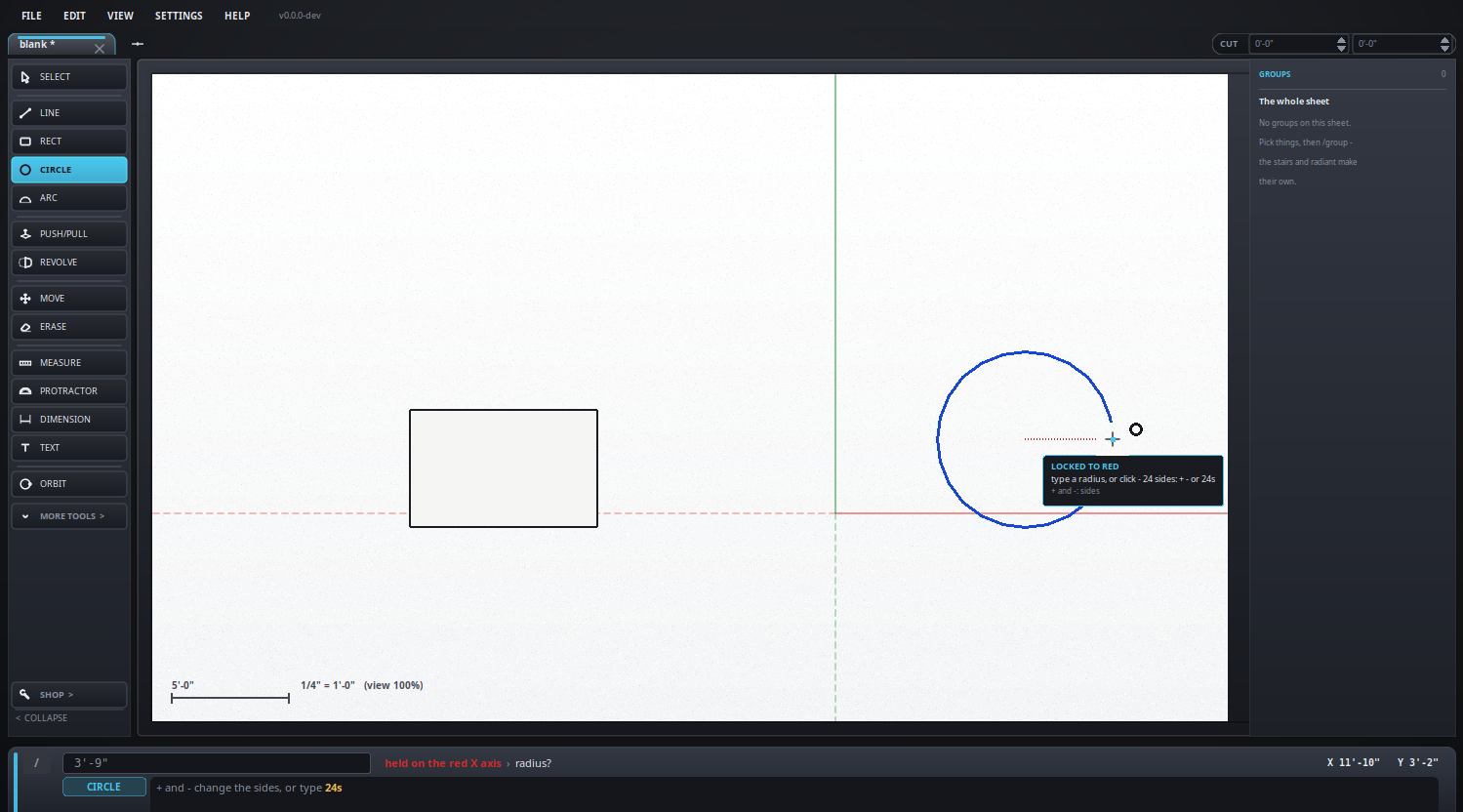
A circle from the middle out.
Keyboard: C
How to use it
- Click the center, then type the radius or drag it.
- It is a face right away.
How round it is
A circle is drawn as a ring of straight sides. Twenty-four is the starting number, which is round enough to look round and few enough to stay quick. More sides is a smoother edge and a heavier drawing; fewer sides is a hexagon, an octagon, or whatever else you want to build on purpose.
- With the circle tool live, + and - step the number of sides up and down by one. The count is shown in the hint line at the bottom as you go.
- Or type the number with an s on it - 24s, or s24 - and press Enter. Anything from 3 to 360.
- It is remembered for the next circle, so set it once and draw.
- Or change it afterwards: pick the circle and use the entity panel, which has the count with a minus and a plus beside it. Drawings made before any of this keep the old fixed forty-eight until you change them.
Six sides makes a hexagon, three a triangle: the circle tool is how any regular shape gets drawn.
Rounding off a corner
Where a new edge crosses one already there, both are cut at the crossing, so each piece is its own edge and can be rubbed out on its own. That is what makes a rounded corner:
- Draw a circle over the corner, sized so it just touches both sides. The two sides come apart at the touch points and the circle comes apart there too.
- Erase the three quarters of the circle you do not want, and the short piece of each side between the touch point and the corner.
- What is left is the quarter across the corner, joined to both sides. Do the other three corners the same way.
Edges belonging to a solid, guides and dimensions take no part in this - only loose drawing is cut.
What it looks like